Authentication
How to access the Kurrier API
Overview
Kurrier exposes a simple HTTP+JSON API for sending email and managing webhooks to receive emails from various providers.
All endpoints are authenticated and live under the Kurrier namespace:
https://your-domain.com/api/kurrierThe API is currently v1 and versioning is handled via your API key. You can generate and manage API keys in the Kurrier dashboard
Steps
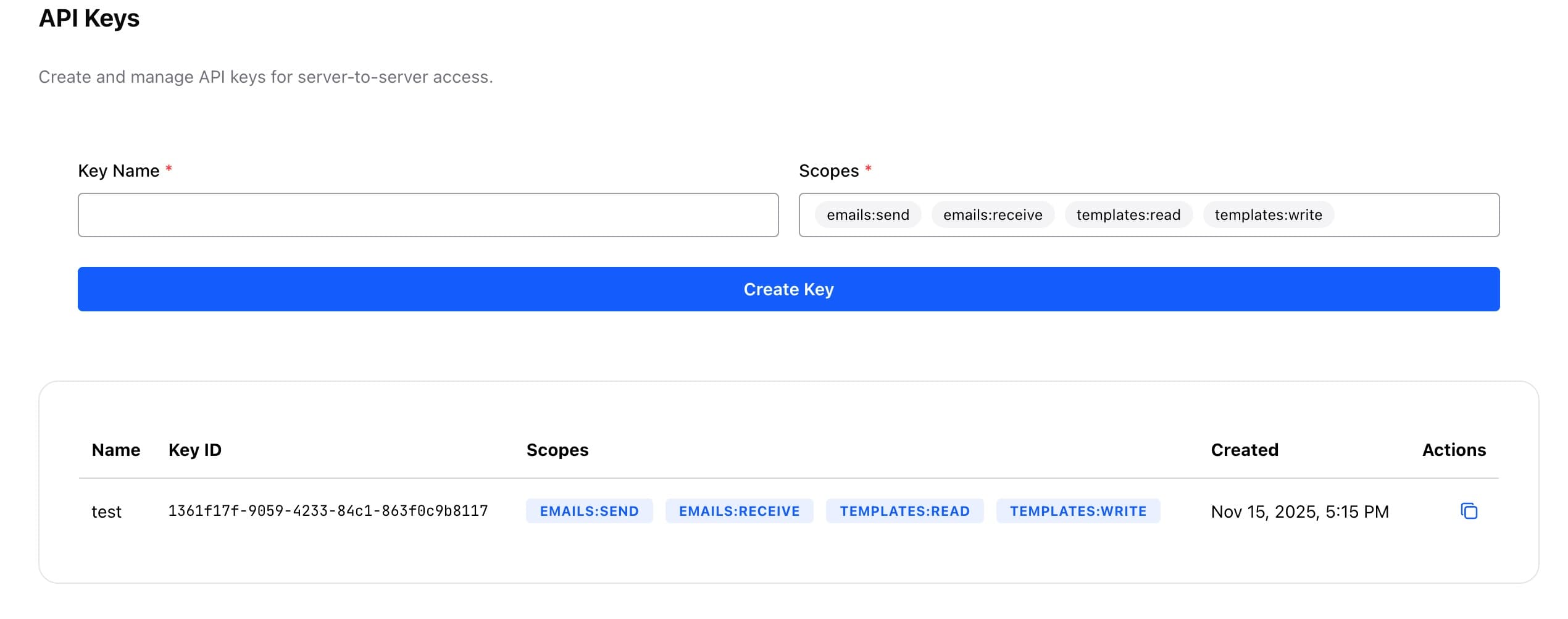
- Go to API Keys
- Add a key with a name and optional restrictions. Note, the default scopes allow everything for now and will be refined in the future.
Authentication
Every request must include your API key. Kurrier supports bearer token authentication via the Authorization header.:
Authorization: Bearer YOUR_API_KEYAdmin API key (instance-level)
Regular API keys always act as the user who created them. For infrastructure automation — onboarding users before their first login, provisioning mail accounts in bulk, rotating credentials from a secrets manager — Kurrier supports an optional instance-level admin key, configured through the environment (worker service):
API_ADMIN_KEY=some-long-random-value # 32+ characters requiredThe feature is opt-in: when the variable is unset (the default), nothing changes and only regular API keys work.
Requests bearing the admin key can act on behalf of any user:
POST /users— pre-provision a user account (admin key only)POST /smtp-accountsandPOST /identitiesaccept auserEmailfieldGET /smtp-accountsaccepts a?userEmail=query parameterGET/PATCH/DELETE /smtp-accounts/{id}resolve any account by id
Treat this key like a root credential: generate it with
openssl rand -hex 32, store it in your secrets manager, and never expose it
to end users.